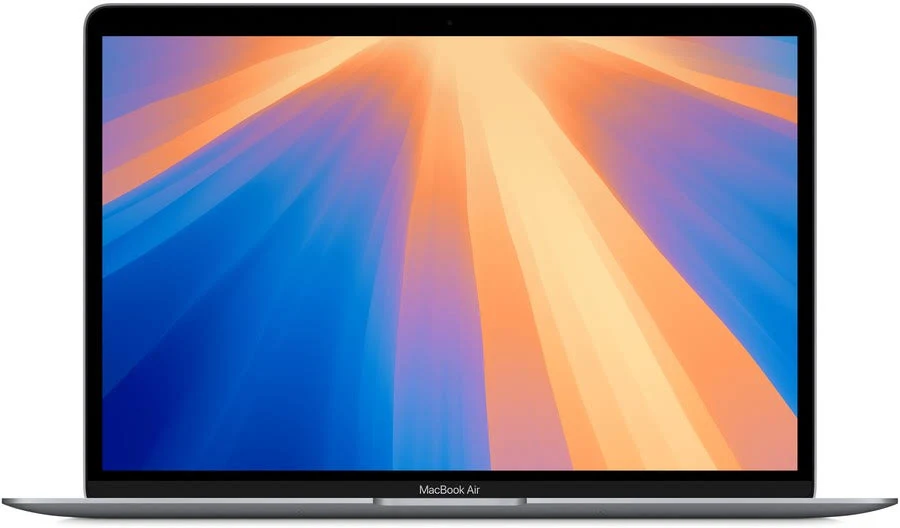
Is your laptop battery draining faster than it used to? You do not always need a new battery. A few practical settings and everyday habits can help your laptop run longer between charges while protecting battery health over time.
This guide explains how to make your laptop battery last longer, whether you use a Windows laptop, MacBook, Chromebook or another portable computer.
12 practical ways to extend laptop battery life
- Lower screen brightness
Your display is usually one of the biggest power users. Reduce brightness to the lowest level that still feels comfortable, especially when you are working indoors. Turning off keyboard backlighting when you do not need it can help too. - Use your built-in battery saver mode
Windows Battery Saver, macOS Low Power Mode and similar settings reduce background activity and tune performance for longer runtime. Turn the mode on before your battery becomes critical—around 30 to 40 percent is a useful habit. - Close apps you are not using
Open browser tabs, video calls, cloud-sync tools and launchers can quietly use processor power. Check your task manager or activity monitor and close apps that are not needed for the task in front of you. - Tidy up browser tabs and extensions
Modern browsers are efficient, but dozens of tabs still consume memory and battery. Bookmark pages for later, close duplicate tabs and remove extensions you no longer use. If your browser has a memory-saver feature, enable it. - Choose a balanced power mode
For most everyday tasks, use a balanced or power-efficient mode instead of maximum performance. Save high-performance settings for gaming, video editing, 3D work or other demanding jobs. - Keep your laptop cool
Heat is hard on batteries and can make the fan work harder. Use your laptop on a hard, flat surface, keep the vents clear and avoid leaving it in a hot car or direct sun. A simple laptop stand can improve airflow. - Disconnect accessories you do not need
External drives, USB devices, RGB accessories and wireless receivers all draw power. Unplug them when you are travelling or working away from a charger. - Turn off unused wireless connections
Bluetooth, Wi-Fi and mobile data are useful, but they do not need to be active all the time. Switch off connections you are not using, or enable aeroplane mode when you are writing, watching downloaded media or working offline. - Update your operating system and drivers
Updates often improve power management and fix battery-draining bugs. Keep your operating system, browser and graphics drivers current—but restart after major updates so background installation tasks can finish. - Avoid running your battery completely flat
Lithium-ion batteries generally prefer shallow charge cycles. Plug in before the battery reaches zero when possible. If your laptop offers a charging limit or battery-health setting, consider using it when you mostly work near a power point. - Review startup apps
Too many programs launching at sign-in can slow your laptop and use power in the background. Review startup items every few months and disable anything non-essential. - Check battery health when runtime drops suddenly
A gradual decline is normal, but a sudden drop can signal a worn battery, a rogue app or a charging issue. Use your laptop’s built-in battery report or health screen to check capacity and cycle information. If the battery is swollen, overheating or no longer holding a practical charge, arrange a professional replacement.
Quick laptop battery checklist
Lower the brightness. Enable battery saver. Close unused apps and browser tabs. Keep the laptop cool. Disconnect accessories. Update software. Avoid letting the battery reach zero regularly.
Final thoughts
The best way to make your laptop battery last longer is to combine a few small habits. Start with screen brightness, battery saver mode and fewer background apps. These changes take only minutes, and they can make a noticeable difference when you are studying, travelling or working from a café.
Frequently asked questions
Should I keep my laptop plugged in all the time?
It is usually fine for modern laptops, but using a battery-care or charging-limit feature can help if the device stays on power for long periods.
Is it bad to charge a laptop overnight?
Most modern laptops manage charging safely. For long-term battery health, avoid heat and use any manufacturer battery-protection feature that is available.
Why is my laptop battery draining so fast?
High brightness, demanding apps, too many browser tabs, background updates, poor signal strength and battery age are common causes.