Best Copilot+ AI Laptops Under $1,000 in 2026: 6 Verified Picks
Real 40+ TOPS machines from $499 — Snapdragon X, Intel Lunar Lake and Ryzen AI compared, with the “AI PC” traps to avoid
A year ago, a real Copilot+ PC cost $1,100 or more. In 2026 that changed fast. Qualcomm’s Snapdragon X, Intel’s Core Ultra 200V (Lunar Lake) and AMD’s Ryzen AI 300 chips pushed the price of a laptop with a 40+ TOPS neural processing unit below the $700 mark — and in one case below $500.
That matters because “Copilot+ PC” is a hardware specification, not a sticker. Microsoft requires an NPU capable of at least 40 trillion operations per second, plus 16GB of RAM and 256GB of storage, before a laptop can carry the badge and run features like Recall, Live Captions and Cocreator locally. Plenty of laptops marketed as “AI PCs” do not meet that bar.
I checked six Copilot+ laptops under $1,000 live on Amazon.com in November 2026 — current USD prices, stock and ratings — and filtered out the “AI” laptops that do not actually meet the Copilot+ spec. This guide explains what the badge buys you, the ARM-versus-Intel trade-off, and which six are worth the money.
How I picked these laptops
Every pick had to meet the real Copilot+ hardware bar, be sold on Amazon.com as a US listing (not renewed or used), be in stock, and cost under $1,000. I prioritised 16GB of RAM — 8GB units technically exist but defeat the point of an AI PC — and weighted the screen, storage and battery against the price.
- NPU of 40+ TOPS. That means Snapdragon X, Intel Core Ultra 200V or AMD Ryzen AI 300. A Core Ultra 7 255U or Core Ultra 5 225U is an “AI PC” in marketing only — its NPU is far below the Copilot+ threshold.
- 16GB RAM minimum. Local AI features and modern multitasking both want it. An 8GB Copilot+ laptop is a false economy.
- Storage you can live with. 512GB is the floor; several picks here give you 1TB at the same price.
- Real-world price. I used the live Amazon.com price, not the list price or a launch RRP.
Quick comparison
| Laptop | Price (USD) | Chip / NPU | RAM / SSD | Best for |
|---|---|---|---|---|
| Acer Aspire 16 AI | $499.99 | Snapdragon X / 45 TOPS | 16GB / 512GB | Best budget |
| Acer Aspire 14 AI (Ultra 5) | $597.86 | Core Ultra 5 226V / 40 TOPS | 16GB / 1TB | Best value Intel |
| HP OmniBook 3 14 | $639.00 | Snapdragon X / 45 TOPS | 16GB / 512GB | Best compact |
| Acer Aspire 14 AI (Ultra 7) | $695.43 | Core Ultra 7 256V / 47 TOPS | 16GB / 1TB | Best performance value |
| ASUS Vivobook 16 | $899.99 | Snapdragon X / 45 TOPS | 16GB / 512GB | Best big screen |
| HP OmniBook X Flip 14 OLED | $969.99 | Ryzen AI 5 430 / 50 TOPS | 16GB / 1TB | Best OLED 2-in-1 |
What Copilot+ actually gets you
The badge is not a gimmick, but it is also not the revolution the marketing implies. The features that use the NPU locally are genuinely useful: Live Captions with real-time translation, Windows Studio Effects for calls, Cocreator in Paint, and Recall, which takes periodic snapshots of your screen so you can search your own history.
Recall is the one to think about carefully. It is opt-in and encrypted, but it is still a searchable record of everything you do on the machine. On a shared or work laptop, leave it off unless your organisation has a policy for it.
The rest of the “AI” experience — Copilot itself, chat assistants, image generation — mostly runs in the cloud and works on any modern laptop. The NPU is what makes the local, private, low-latency features possible. That is the honest reason to pay for the badge.
ARM (Snapdragon) versus Intel (Lunar Lake)
This is the decision that matters most, and it is not about AI at all.
Snapdragon X laptops deliver the best battery life and run cool and quiet. Most everyday apps — browsers, Office, Zoom, Slack, Spotify, photo editors — run natively or through Windows’ Prism emulation without you noticing. The exceptions are the ones that hurt: some games with anti-cheat, certain VPN and security tools, and niche hardware drivers.
Intel Core Ultra 200V laptops run everything an x86 laptop always has, with no compatibility asterisks, and their Arc graphics are a step up for light creative work. Battery life is good but generally behind the best Snapdragon machines.
If you play games or depend on specialised Windows software, buy Intel. If you want an all-day browser-and-Office machine that never spins a fan, Snapdragon is the better bet.
The 6 best Copilot+ laptops under $1,000
1. Acer Aspire 16 AI — the budget breakthrough
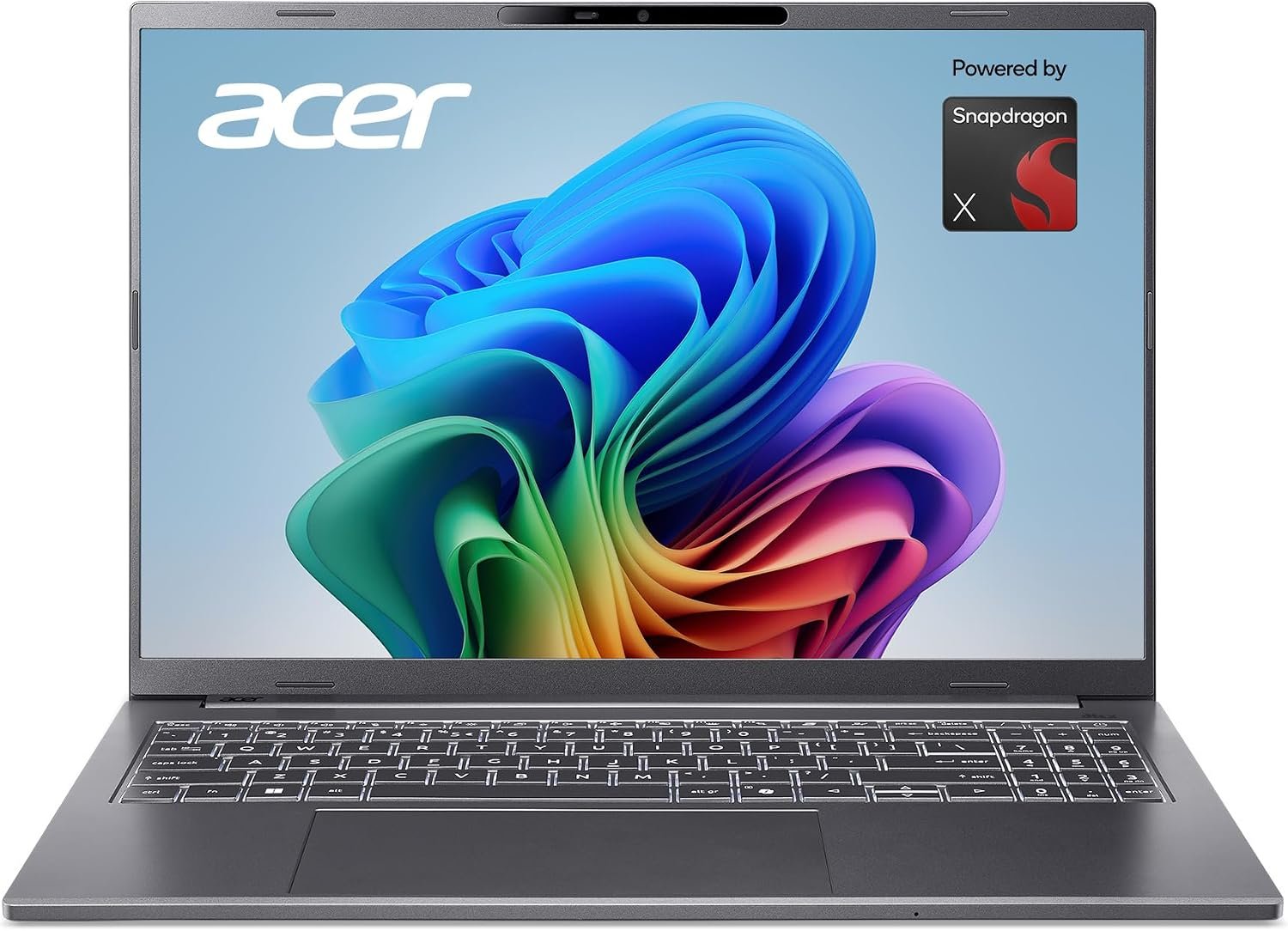
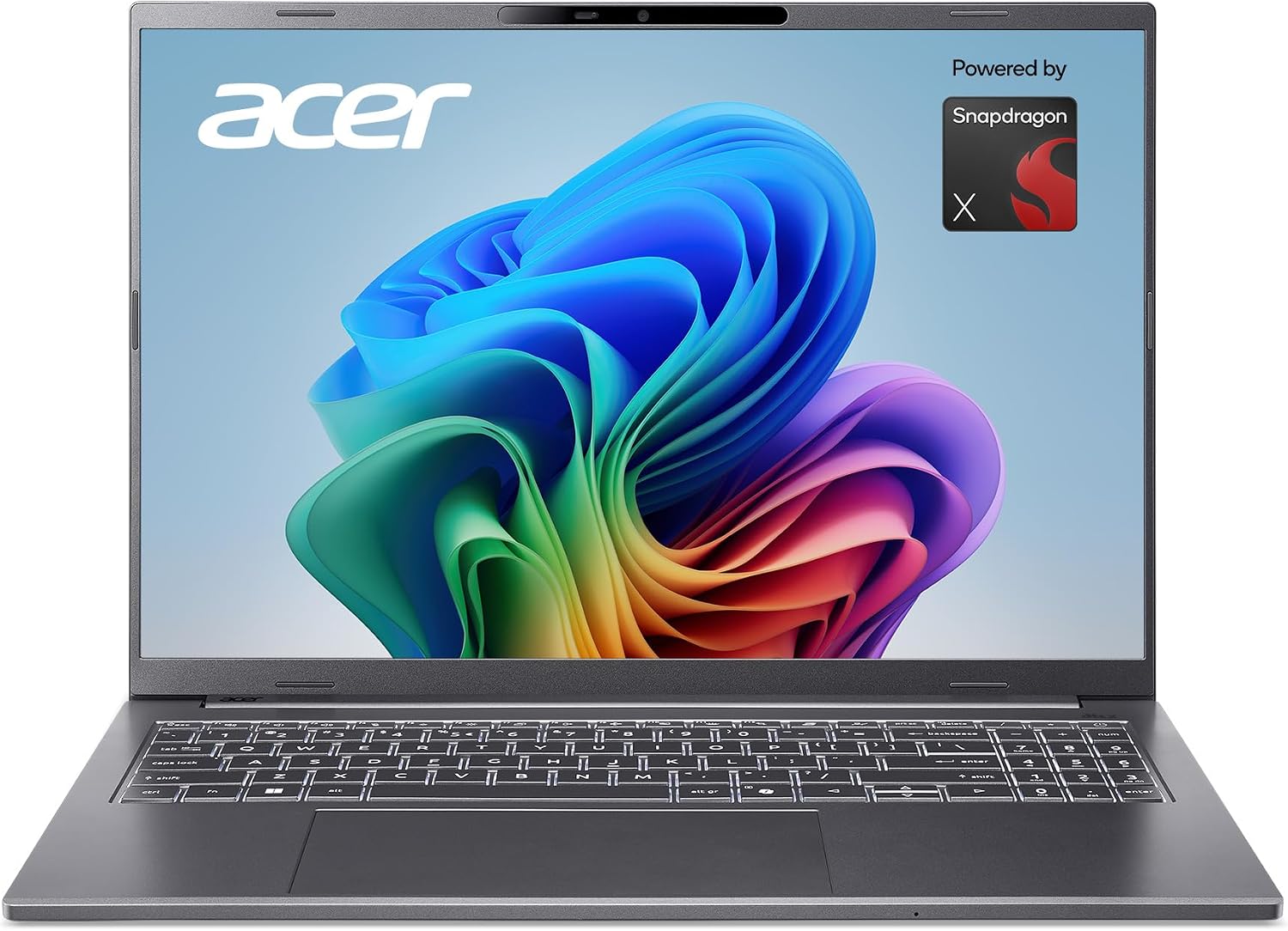
At $499.99, the Aspire 16 AI is the cheapest laptop here that genuinely meets the Copilot+ spec — and it is not a stripped-out machine. You get a 16-inch WUXGA 120Hz multi-touch display, a Snapdragon X X1-26-100 with a 45 TOPS NPU, 16GB of LPDDR5X and a 512GB PCIe Gen 4 SSD. That is a legitimate AI PC for less than most 8GB laptops cost last year.
The 4.0-star rating across more than 220 reviews is the most-reviewed score here, which cuts both ways: it is the most proven pick, but it also shows the compromises. Expect average speakers, a plastic-feeling chassis and battery life that is good rather than class-leading. For a student or a second household laptop, it is the value pick of the year. Check the Acer Aspire 16 AI price on Amazon.
2. Acer Aspire 14 AI (Core Ultra 5 226V) — the value Intel pick
If you want x86 compatibility without paying a premium, this is the one. For $597.86 (down from $639) you get a 14-inch WUXGA touch display, an Intel Core Ultra 5 226V with a 40 TOPS NPU, 16GB of LPDDR5X and a generous 1TB SSD. The 4.5-star rating across 42 reviews is strong for a machine at this price.
It is the sensible choice for anyone who uses software that has not been fully validated on ARM — accounting tools, older corporate apps, certain creative plug-ins. The display is good rather than spectacular, and the integrated Arc 130V GPU is fine for productivity, not gaming. Check the Acer Aspire 14 AI (Ultra 5) price.
3. HP OmniBook 3 14 — the best compact
The OmniBook 3 14 is the light, tidy option: a 14-inch 2K display, Snapdragon X X1-26-100, 16GB of RAM and a 512GB SSD for $639. The higher-resolution screen is the differentiator at this price, and the 4.8-star rating is the best on this list — though it comes from only 19 reviews, so treat it as promising rather than proven.
It is the pick for someone who carries a laptop every day and wants a sharp screen and long battery life more than raw power or storage. Check the HP OmniBook 3 14 price on Amazon.
4. Acer Aspire 14 AI (Core Ultra 7 256V) — the performance-value pick
Spend about $100 more than the Ultra 5 model and you get the Core Ultra 7 256V, a 47 TOPS NPU and the same 16GB / 1TB combination for $695.43. The 4.3-star rating across 132 reviews makes it the best-reviewed Intel option here, and the extra CPU and Arc 140V graphics headroom shows in heavier multitasking and light photo editing.
This is the sweet spot if you want an Intel Copilot+ laptop that will still feel quick in three years, without crossing into the $900+ tier. Check the Acer Aspire 14 AI (Ultra 7) price.
5. ASUS Vivobook 16 — the big-screen pick
At $899.99 the Vivobook 16 is the most expensive Snapdragon pick here, and you are paying for a larger 16-inch WUXGA display, 16GB of RAM and ASUS’s generally better build and keyboard. The 4.4-star rating across 43 reviews is solid, and the Quiet Blue finish looks more premium than the price suggests.
Stock was limited during this check (17 units), so availability may move. If you want a big screen and do not need 1TB of storage, it is a good alternative to the Acer Aspire 16 — but the Acer is $400 cheaper for a similar core specification. Check the ASUS Vivobook 16 price on Amazon.
6. HP OmniBook X Flip 14 OLED — the OLED 2-in-1
The only OLED convertible on the list, and the only AMD pick: a 14-inch 2K OLED touchscreen, Ryzen AI 5 430 with a 50 TOPS NPU, 16GB of RAM and a 1TB SSD for $969.99. On paper it is the most premium machine here, and OLED is a genuine step up for media and creative work.
One important caveat: this listing is sold through a third-party configurator (Ranvax) rather than Amazon or HP directly, and it has no customer ratings yet. That does not make it a bad laptop, but it does mean you are relying on the seller for warranty and returns. Buy it only if the OLED screen and convertible hinge are worth that uncertainty. Check the HP OmniBook X Flip price.
What I would skip
- “AI PCs” with a Core Ultra 7 255U or Core Ultra 5 225U. These are Arrow Lake-U chips with NPUs well below 40 TOPS — they cannot run Copilot+ features locally, whatever the listing says.
- 8GB Copilot+ laptops. The spec allows it, but local AI features and modern multitasking both want 16GB. The ASUS Vivobook 16 at $639.99 is decent hardware held back by 8GB.
- The Microsoft Surface Laptop (2025) 13-inch at $1,039. Excellent machine, but it is over this guide’s budget; it is the obvious “stretch” pick if you can spend a little more.
- Cheap no-name “AI laptops” under $400. They almost always use older low-TOPS chips and label themselves AI anyway.
- Renewed Copilot+ units. The savings are small and the battery is the component most likely to be worn.
FAQ
Do I need a Copilot+ PC to use AI?
No. Copilot, ChatGPT and most AI tools run in the cloud on any modern laptop. A Copilot+ PC is about running certain features locally, privately and without a round-trip to a server.
Is 8GB of RAM enough for a Copilot+ laptop?
It meets the minimum spec, but 16GB is the sensible floor in 2026. Several laptops here give you 16GB for under $700.
Will Snapdragon laptops run all my Windows apps?
Most everyday apps run natively or via emulation. Games with anti-cheat, some VPN and security suites, and niche hardware drivers are the usual exceptions. Check the specific app before buying.
Is Recall a privacy risk?
It can be, which is why it is opt-in and encrypted. On a shared or work device, leave it off unless there is a clear policy for it.
Which is better under $1,000, Snapdragon or Intel?
Snapdragon for battery life and silence, Intel for zero compatibility worries and slightly better graphics. Both are good; match the chip to your software.
Verdict
The Acer Aspire 16 AI at $499.99 is the standout: a genuine Copilot+ laptop with 16GB of RAM and a 120Hz touchscreen for the price of a mid-range Chromebook. If you need x86 compatibility, the Acer Aspire 14 AI with the Core Ultra 5 at $597.86 is the value pick, and the Ultra 7 version at $695.43 is the one to buy if you want it to stay fast for longer.
For a compact daily carry, the HP OmniBook 3 14 at $639 is the sharpest small-screen option. The ASUS Vivobook 16 makes sense if you want a bigger screen and better build, and the HP OmniBook X Flip OLED is the premium choice — provided you are comfortable buying through a third-party seller.
Prices, ratings and stock were checked on Amazon.com in November 2026 and will change. “Under $1,000” refers to the live price at the time of writing.
Prices, ratings and availability are from live Amazon.com listings at the time of writing (November 2026) and may change. Copilot+ features and their availability vary by device, region and Windows update. As an Amazon Associate we earn from qualifying purchases. Buy links take you to the product page on Amazon.com.